
How do I cancel my subscription?Updated 9 days ago
Subscriptions may be canceled at any time. By canceling, you lose access to the NuCalm app on the day of your next scheduled payment. All sales are final, so be sure to cancel your subscription before your renewal date. No refunds can be issued once the renewal has occurred. There are no refunds for MASTERMIND, MASTERMIND PLATINUM, lifetime subscriptions, or gift cards.
If you are canceling your subscription within your first 30 days, you are eligible to take advantage of our money-back guarantee. Just reach out to us at [email protected], and a NuCalm team member will review your email, and process your refund to the payment method on file, no questions asked.
You can cancel or change your subscription by logging in with your app login credentials here: https://nucalm.com/account.
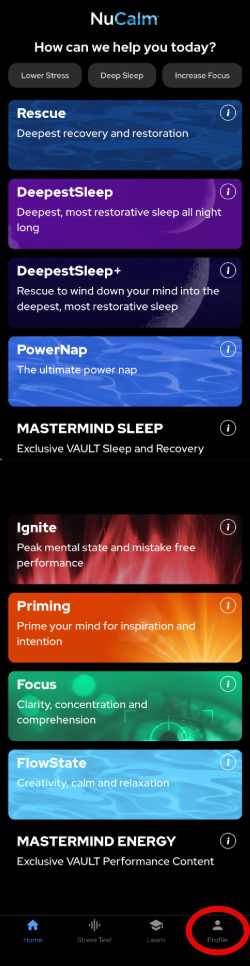
Or navigate to My Profile:
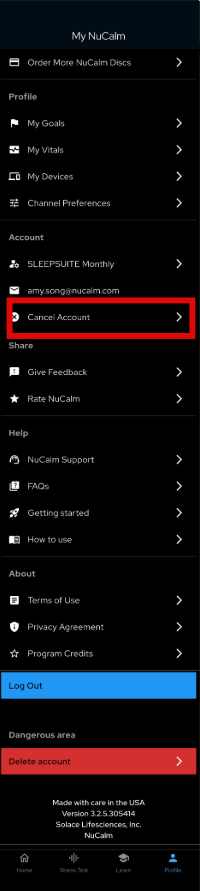
And select Cancel Account:
Note: If you signed up through a third party, please use their subscription management portal to change or cancel your subscription.