
How do I use NuCalm without wifi/offline?Updated 8 months ago
You will need an internet connection to download and log into the app. Then once logged in, you can download tracks for offline use. The app will prompt you to connect to WiFi or cellular data every 30 days to renew your licenses.
To download our neuroacoustic software tracks for offline playback, please follow the instructions below:
- To download, ensure your WiFi is turned on or that you have a strong cellular signal with plenty of data
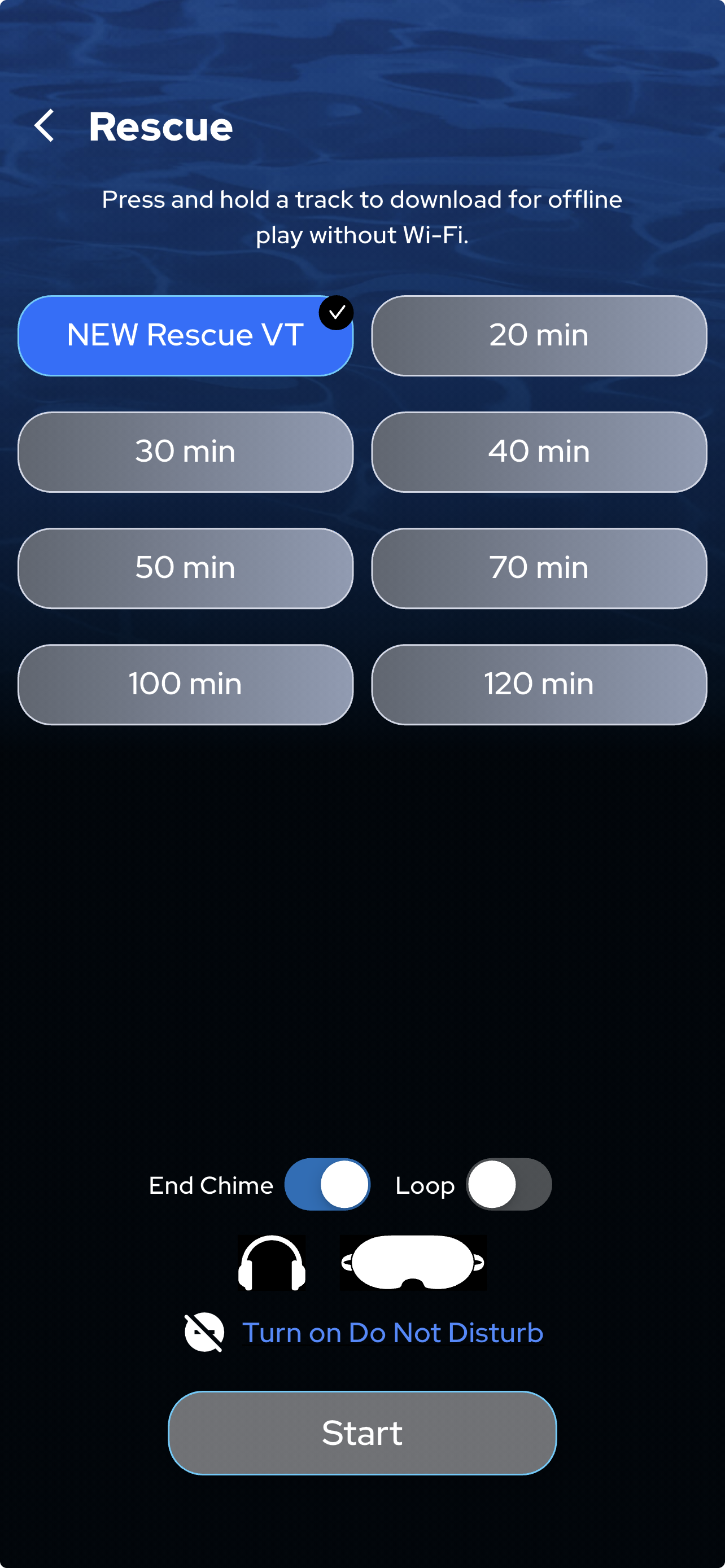
- Select the product and session length you want to download.
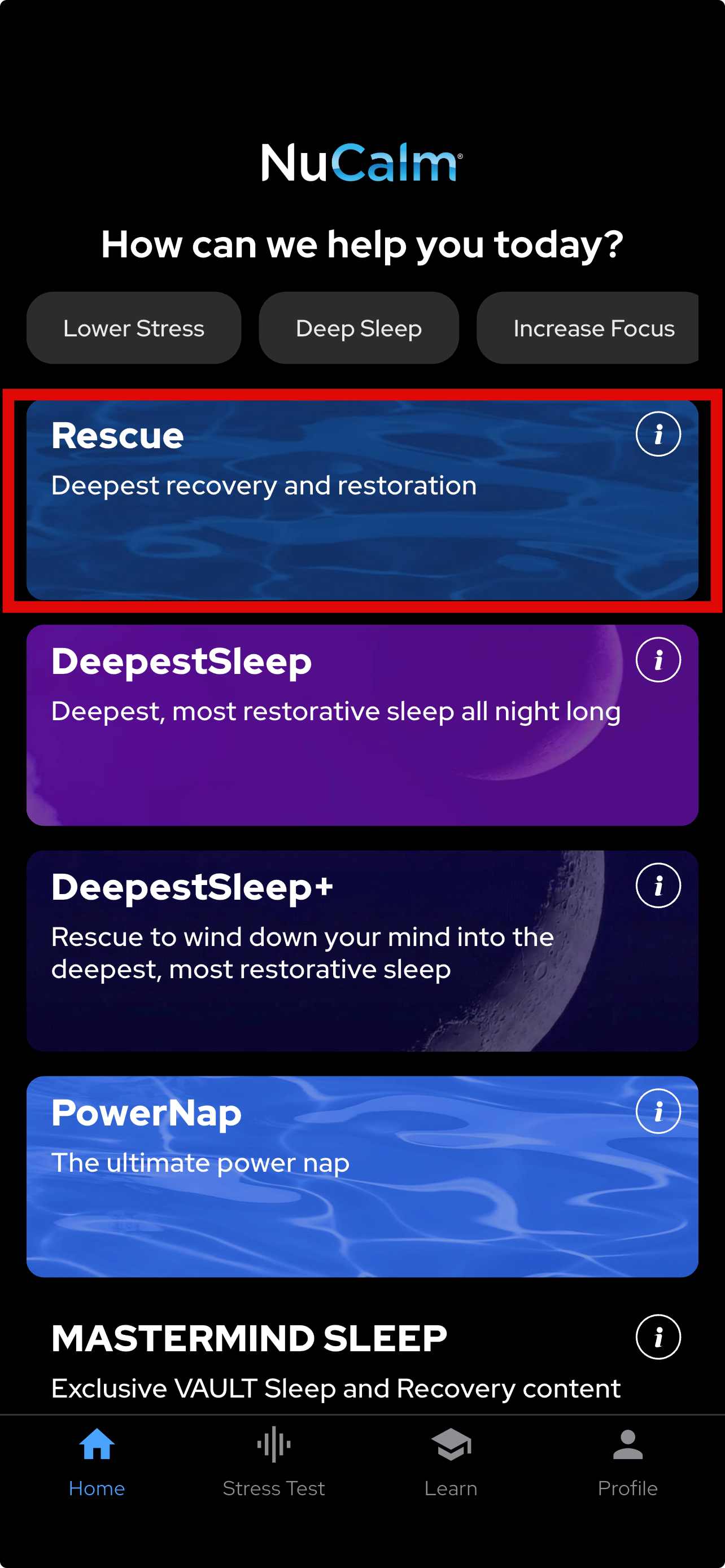
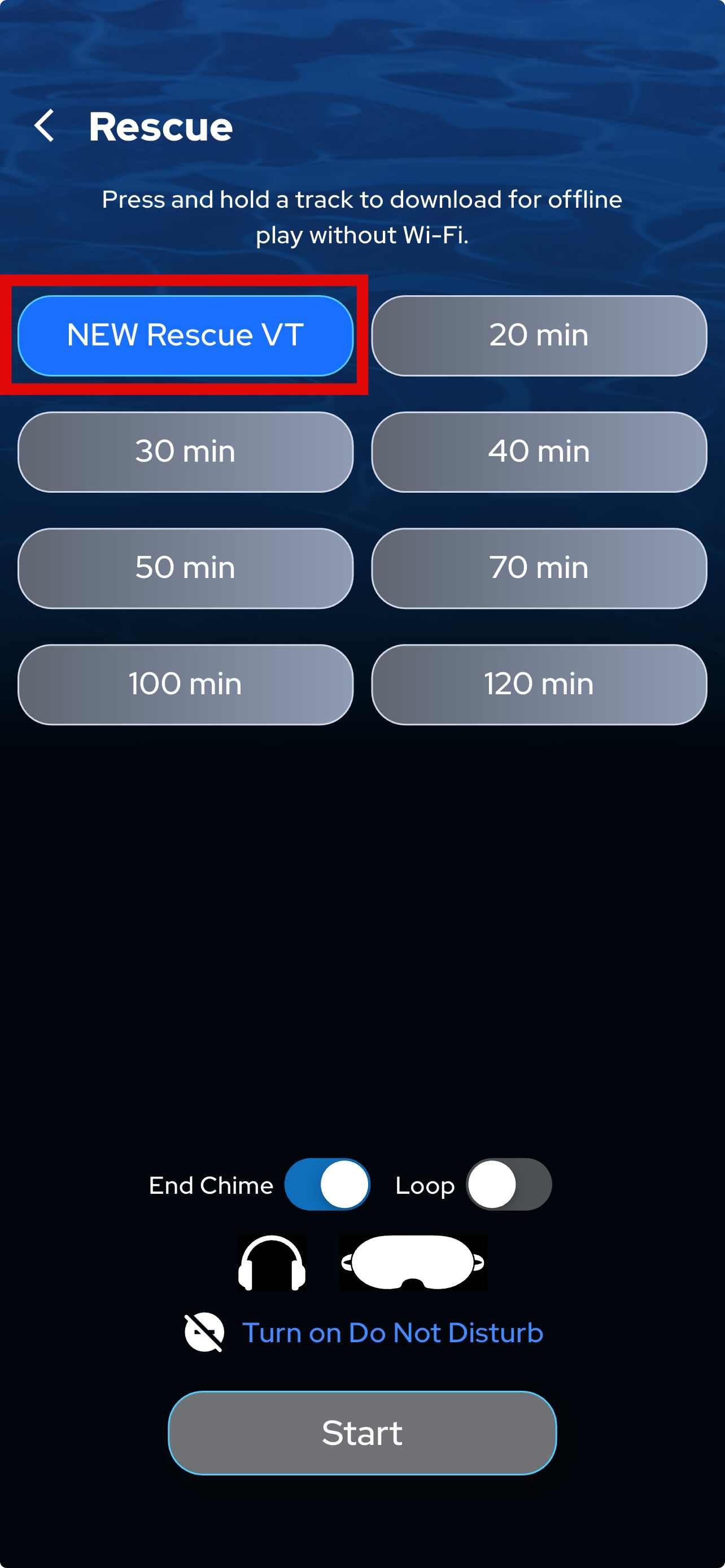
- Tap and hold the session length and you'll see an option to download.
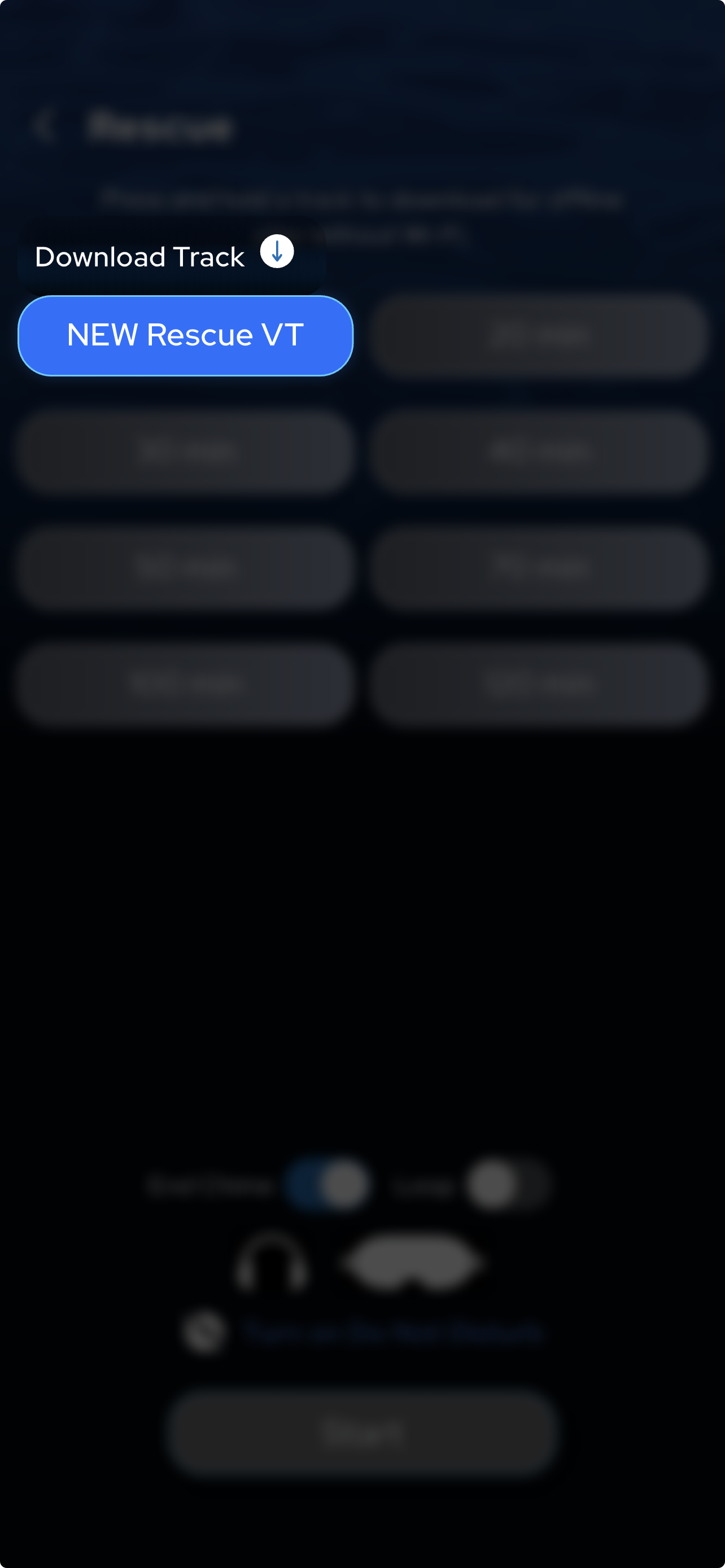
- Touch the ↓ until you see download in progress
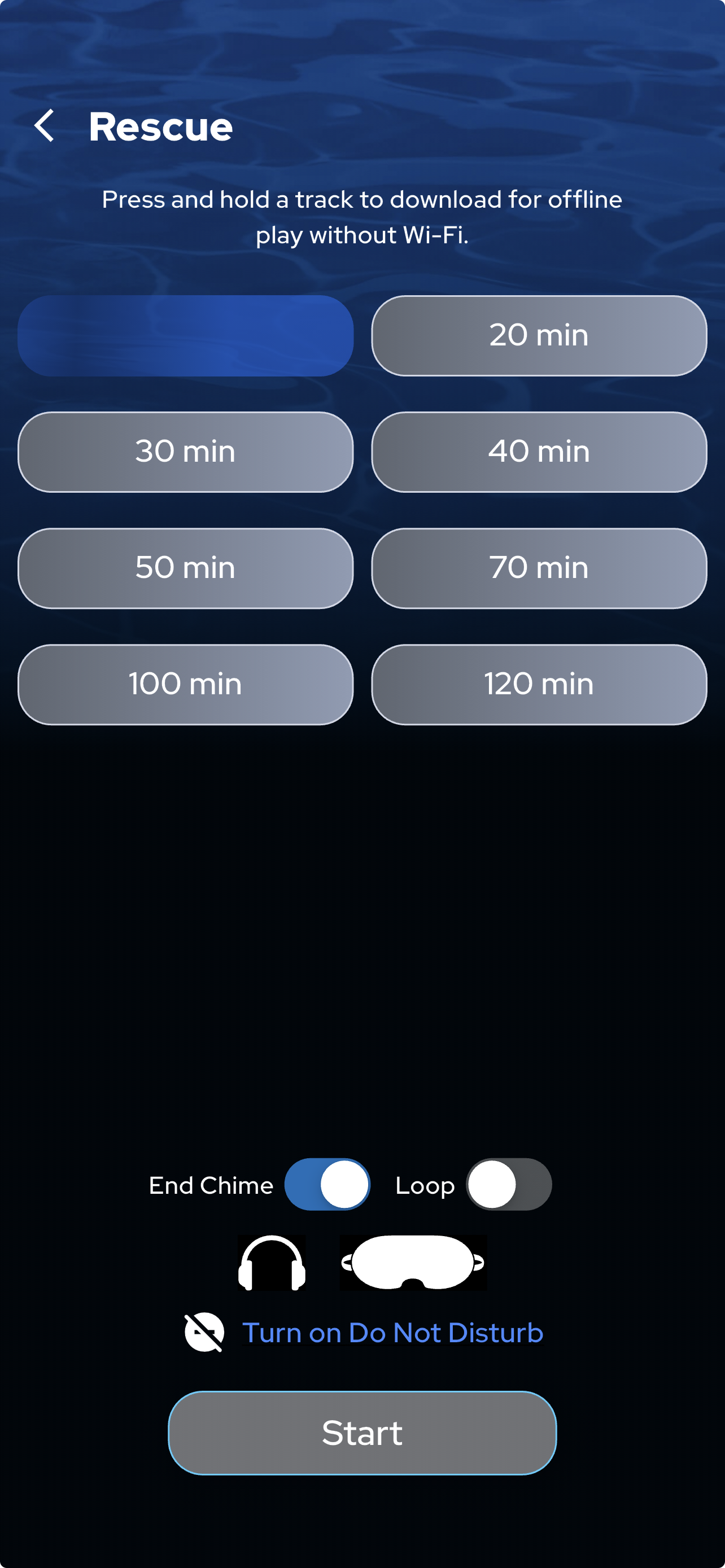
- You will see a checkmark when the download is complete and ready for offline use
- Close the app
- Turn off WiFi and engage airplane mode BEFORE opening the NuCalm app for offline use
- Choose the track with the checkmark beside it, and enjoy.